Wednesday, October 13, 2010

Certified in Online Teaching and Learning


Now that I'm certified in Online Teaching and Learning, I approach my instruction differently. I seriously consider learning styles and how to use the interactivity of the web to better teach and engage all of my students. I'm proud to say after teaching my hybrid design for the first time this past summer that it was well received by my students.

The class gave helpful feedback about what worked stating they enjoyed the online discussions and their ability to submit all assignments online. They also appreciated the opportunities to collaborate with fellow students on the design of their final projects. Students did suggest a few changes I might consider, such as adding a face-to-face class strictly designed for one-on-one student-teacher meetings.
I'm now in the process of making updates and moving from Webct to the new Blackboard 9.1 environment. Though there is more work ahead, overall the first offering of MCOM 660: Corporate and Non-traditional Broadcasting was a success.

Friday, December 4, 2009

We made it!

I'm sitting in disbelief. After 4 semesters, I have completed an exceptional learning experience, my certificate in "Online Teaching and Learning." Thank you Jan, thank you Barb, thank you Bonnie, thank you online classmates and last but not least, thank you hubbie. My dear husband graciously tolerated the computer on my lap, in the bed, at the dinner table, on vacation...well you get the picture.

During the past year I have learned so much about the online environment from the perspective of a student, a teacher and a designer. The terms "Community Building," and "Student Centered," are my new teaching mantras. Yet, there is SO much left to do as I continue designing my "Corporate and Non-Traditional Broadcasting" hybrid (blended) course.

My field, multimedia production, is changing dramatically and quickly. Recently I attended the "Future of Television" conference in New York City. It was quite eye-opening. The conference confirmed the industry wide confusion and concern regarding the changes that are here and on the horizon. The word "monetization," was bounced around a lot, but it was one of the most exciting "idea exchanging" professional gatherings I have ever attended. Much like online learning, it's all about the content and the best way to reach, teach and entertain your audience.

I have provided links below to some of the conference information along with a soundbite I taped with my handy "flipcam" of Robert Tercek, the President of Digital Media for Oprah's new OWN television network. I uploaded this "digital resource" to YouTube for all to see. It's pure visionary genius boiled down to under 3 minutes. Mr. Tercek offers his ideas on how media students should prepare for the future and it sounds a lot like the way teachers should prepare for their 21st century students. Whether you're online or on-ground his advice applies to us all.

This is what I learned from this journey and Mr. Tercek. Embrace the technology that will deliver your message because this is effective teaching. It can be as simple as a short lecture or as complex as an online computer conference to Japan. Just go there if it gets you there and that destination is the hearts, minds and memories of your students.

Notes from the Conference:
http://www.examiner.com/x-17776-Long-Island-Television-Examiner~y2009m11d23-Notes-from-The-Future-of-Television-2009-conference-in-NYC

Tercek on the future:
http://www.youtube.com/watch?v=7tslusCh7U0


Wednesday, September 2, 2009

We're in the last lap!


So we begin the end. ONTL 653, class 4 of 4, the final chapter. I have enjoyed selecting resources and digital content for my MCOM 660 course, now it’s time to pull it all together. I look forward to exploring the latest software and gadgets’, knowing the important part is ensuring these tools promote student learning and student-content interaction.

There are a couple of issues surrounding learning styles and student technology competence that have always concerned me. As I select course content I’m keenly aware of how these two student issues impact the effectiveness of my online design. Often the various student learning styles and disabilities require instructors to offer information in multiple formats. This need compels students and teachers to have appropriate software and computer skills for online content and community interaction. I have found this to be one of the design considerations that can be the most challenging.

It was reassuring to see my apprehensions addressed in the “digital design” course readings. I found the articles, “Tips for Developing Media-rich Online Courses,” and “Graphic and Design Tips for Online Courses,” to be excellent guides for beginning designers. The advice about "putting your learners into perspective" and “remembering to keep download times short,” were important procedural reminders for online course designers who’ll incorporate digital media.

I look forward to testing my ideas and improving my design as the course proceeds. But a wonderful educator once told me that even after teaching her class for several semesters, she continues to update and improve the course content and design. I suppose this is true of all effective, student-centered instructors. To serve your students well you must be willing to continue learning and improving your design and teaching approach. Of the many things I’ve learned, this is one of my most valuable lessons.

Monday, July 27, 2009

Tough Course, Good Course


As Online Teaching and Learning (ONTL) 652: Designing Online Course comes to closure I can’t help but sit in amazement about how much I’ve learned. The mantra for class three of this four course sequence is "Analyze and Apply the Strategies."

ONTL 652 brought together the application of active learning theories with the benefits of collaborative learning and the importance of designing a student-centered course. It encouraged designers to use a variety of online tools such as discussion boards, podcasts, wikis, and web conferencing to promote student-student, student-instructor, and student-content interactions. The teaching with Technology Collaboratory Center's article on "Incorporating Interaction into Your Distance Learning Course," addressed the importance of this design approach. It gave me several straight forward ideas for utilizing various tools and is now one of my "go-to" design resources.

652 reminds instructors of the value of placing content in multiple formats whenever possible and relying on LMS tools to assist with communication and course management. These tools can make instructor-student communication more effective and efficient, preventing online teachers from becoming overwhelmed by email or post volume.

Giving timely communication and feedback is one of my concerns. So it was refreshing to read, Rita-Marie Conrad of Florida State give some pointers on saving yourself from, "Drowning in Online Interaction." I was worried about managing large numbers of student posts, content questions and technical problems. Her "lifesaving" suggestions have allowed me get a better perspective on the importance of "harnessing" technology effectively to handle student-instructor interaction. Dr. Conrad also encourages instructors to allow time for students to respond to each other. This can be important for community building and teacher sanity.

ONTL 652 is where theory merged with creativity. Understanding constructivist learning is not as important as applying it successfully. It reminds instructors that students come with a wealth of prior experiences which can inform their learning and enhance course interactions. Sharing and applying this knowledge can help students feel empowered in the online environment and their over-all learning experience which can promote student success.

This course also taught me that one of the most important acts of an online instructor is ensuring the online community is well constructed from day one. I think this is easier to accomplish if a course sequence is based on the “cohort” model. Hearing familiar “online voices,” from past classes can bring a level of comfort, especially with collaborative projects and peer feedback assignments.

Though I found ONTL 652 the most challenging so far, I believe it has prepared me for the final class in the sequence, ONTL 653: Producing Digital Content. I now recognize that creative design ideas should be based on tested learning theories, sound online pedagogy, and an understanding of student-centered learning. Like the online students I plan to teach, I have been empowered.

Sunday, June 28, 2009

Student-Content: All Web All The Time

"The world is changing so fast that the concept of schools teaching people what they need to know is no longer viable, we're moving into a time when people need to know how to learn things they weren't taught in school. Second, we now have the technology to let kids learn better. This will not just allow them to learn the same things better; it will teach kids to learn radical new things at all ages." -- Dr. Seymour Papert

This quote from the article "No Lectures or Teachers, Just Software," by Joshua Green, was one of my favorite readings from this week's lesson. Discovering new ways to engage students with course content is always an instructors greatest challenge especially where technology is involved. As a “sage on the stage,” initially it was easier to grasp how to design student-instructor and student-student interactions, but more difficult to envision interactive student-content designs. Reading the work of student-content design experts helped to better focus my approach while giving me new ideas for content interactions.

I found the visionary expertise of Dr. Papert and Dr. Schank inspirational. As a new online designer/instructor I struggle with making sure my design and course content are accessible to all learning styles, while remaining interesting and interactive. These educational design experts offered me new ideas and concepts. Dr. Schank suggests that instead of using full-blown lectures, online instructors could use video snippets to address the question at hand . Slowly this segmented approach would present the full topic only in smaller sections. He feels students learn better if information is given in this “piecemeal” approach. Dr. Schank refers to this as “just in time” learning. This is ideal for a course like mine that trains media students to design non-traditional broadcast products. I can use short video clips to demonstrate a specific production style and have students analyze this approach.

The "Using Case Studies in Learning" and “Webquests” information gave me even more design direction and content resources. The case studies site offered excellent links and interaction design ideas. One of the links I found most beneficial for my design work is the New York Times educational web site. It supplied web articles addressing broadcasting issues that I could incorporate through hyperlinking into my LMS design for student review. This is an excellent way to give students exposure to examples of "Real World” experiences for analysis.

It was also enlightening to discover a site like “Webquest.” I never realized there was such a helpful online resource giving direction to educators wanting to utilize the Web as if it were an interactive book. Since I’m not using a course text, this site will be an important resource for linking students to current course information. I was relieved to see so many online student-content resources and ideas, this guidance is invaluable.

Thursday, May 7, 2009

Migrating to ONTL Class #3


And we begin again. Class three of the ONTL Certificate Program. I thought about taking a break, but I’m glad I didn’t. Many of the familiar “faces” have returned, so it feels comfortable, like home.

Guess what! I began incorporating some of my new knowledge about learning and teaching styles into my “face to face” or “on-ground” media class. My “sage on the stage” heart is finally embracing the importance of the “guide on the side” approach.
Though I have always appreciated the importance of online resources and technology for engaging and informing students, I really have a new respect for its use. I find myself thinking about ways to engage my students in their learning. I daydream about how I can design assignments that promote student-student interaction and discussions that support community building. I have come a long way. I expect that this class will solidify my grasp of the important relationship between learning objectives, assignments and outcomes.

But now the rubber is really going to hit the road. It’s time to outline and justify a total design approach for my course. I know I’m planning a hybrid, but only recently did I fully comprehend how difficult this will be. Though it’s definitely doable, it’s more challenging. Hybrids are like designing a dual approach at the same time. Not totally online, not totally on-ground.

Well, that’s me, always seeming to take the road less traveled. And like my animal “ice-breaker,” I migrate away from the familiar, fluttering to the new, open fields.

Sunday, April 5, 2009

End of Part 3...reflections

It's week 13, a baker's dozen collection of facilitation articles and discussion posts. Through the readings in part three I've discovered I already use a great deal of "real life" authentic assessment in my f2f courses. Real life case studies and student assignments are key to my media courses. Undersanding and using new and emerging technologies are important to my student's education and I find analysis of "real ife" applications are crucial. They will also be incorporated in my new online designs. However, even though "real life" assignments are crucial to my student's training, traditional "testing" is also important for assessing knowledge. Most designs work best with a combination of both. 

I discovered that diversity is important to your instructional design and facilitation, but it's not just a "black and white" issue. It's a combination of cultural sensitivity, disability accommodations, and even time zone considerations. As an instructor you must always be empathetic to the diversity in your course and make sure your facilitation requirements are attainable for all of your students. Meeting them where they are.

But I especially enjoyed the variety of facilitation issues the class discussed that will face every online instructor at some point in their teaching. From non participation, to discussion post hostility and plagiarism, it was informative to share ideas with fellow classmates and hear how each would handle the various situations. Many had confronted these issues in current classes either as students or instructors. The discussion of past and current facilitation cases educated us all on a variety of approaches and solutions. Some lively interchanges occured, especially around hostile students and plagiarism issues. The student-student exchanges were excellent. It was encouraging hearing and sharing advice and wisdom. 

As this course moves toward completion, I have gained valuable knowledge and insight in both online design and facilitation. I've started including my new knowledge in my course development and look forward to the next class in the ONTL certificate sequence.


Thursday, March 26, 2009

Facilitation Reflections

Over the past weeks I have reflected quite a bit on my first online facilitation experience. I chose "Week 9 - Technology," because online and media technology is my area of expertise and interest. I also knew facilitating this topic would help increase my own tech knowledge. Online technology is fluid, constantly changing and updating. It's crucial for educators, both online and on ground, to stay informed through training seminars, conferences and research.

When I signed up for my facilitation week, I had a lot of reservations and fears. Would my mind freeze up when asked questions? Would I remember the important keys to successful facilitation? Can I engage my fellow students effectively? And, what is a good ice breaker? At least that answer came to me in a flash. How about each person sharing their own technology fears. Bravo! Remembering that everyone had fears, helped me calm my own.

But one of my best decisions was to ask a wonderfully tech savvy classmate, Joe Brown, to team up. Ah, collaboration. I had learned the benefit of this online principle during earlier group projects. It helped to have a knowledgeable team mate to explore ideas and assist with the variety of websites, videos, and software demonstrations included in our synchronous session.

Once I designed the first draft of the PowerPoint, I began to breathe easier. Being a bit obsessive, I wanted to get our session content organized so we could talk and practice our facilitation approach. Joe and I used "Skype" for our online meetings. We're both into using online video and I LOVE Skype! We also emailed questions and suggestions back and forth quite a bit.

The week before our facilitation week we began meeting and practicing in the Wimba room. It was time to figure out how to tag team the tech demonstrations and class discussion. Easier said than done. But we came up with an excellent plan. Joe and I divided up the content, and as one person began facilitated their portion, the other readied and then called up the tech/resource website. I was nervous about the technology. It's wonderful when it works, not so much when it doesn't.

It worked out great! Minus a small snafu with holding down the Wimba talk button and typing at the same (couldn't use the lock feature because of audio feedback), the session was energetic and informative. Our fellow classmates had insightful questions and seemed genuinely pleased with our technology content. They even requested that we post the PowerPoint in the course discussion thread so they could review the technology resources we provided.

I have included a link for the Technology PowerPoint from week 9 now resident on Internet Archive.org, another important tech find. Anyone can join Internet Archive and receive their own "virtual library card." You can "Check out" and utilize their online resources for your classes, presentations and research, as well as upload and share your own work if you wish. IA is an excellent online educational resource tool. Just click below and experience it for yourself.

http://www.archive.org/details/TechnologyForOnlineLearningPowerpoint

The asynchronous facilitation potion also went well. Me and my team mate agreed on how to approach the responses to class posts. We remembered to ask good Socratic questions which encourages deeper thinking and alternate points of view, while offering suggestions for incorporating new technologies into online instruction. The sharing of ideas was the best part of the post facilitation since the Wimba session seemed to stir up the group's techie curiosity.

This experience has definitely changed my perspective on facilitation. I better understand how to engage students through deeper questioning. I have acquired "ice breaking" skills which until now I didn't understand their importance to community building and student-student interaction. I feel much more capable and at ease with the prospect of facilitating online discussion boards and Wimba meetings for my students. I look forward to including the discussion post and Wimba tools in my f2f class and ultimately my hybrid course design.

Friday, March 6, 2009

End of Part 2 - Comfort in the Online World

I can’t believe we’re at the end of part two of the second ONTL course. It moves fast and I’m trying to keep up. For all of my technology knowledge, I must run hard to stay on top of the constantly changing web tools. I also realize with time I'll probably rely more on students and online communities for introductions to “new and emerging” technologies. However, I believe soon education will just be education. No online VS f2f. It will become seamless instructional technology used by all, expected by students and mastered by educators. I dream of that day. Maybe by then I’ll be sitting with my laptop on a beach in the Seychelles languidly interacting with my students wherever they are.

Ahhh!!

Until then, I must continue to master Socratic questioning and the five roles of an online instructor. I now understand the importance of being a thoughtful “space planner.” Something I did not totally grasp before this course. Through being an online student I have become a more informed course designer, better understanding their needs. Since I now use the Course Management tools and have to navigate the CMS content, I can observe the design from both sides. A well planned course makes online life more successful for students. It promotes student online communication, interaction and community building. It keeps the course student-centered. This supports retention and learning. It all ties together. I get it!

Ultimately, learning to design in this new pedagogical arena is my objective. Whether I do a hybrid, or a totally online course, I must recognize it’s about the content not the technology. Sometimes this is difficult for a technology loving person like me who’s partial to the latest cool tool and online software. But as long as technology assists students’ in mastering course content, it should be incorporated. It keeps the content interactive and lively and as a student I appreciate this.

I now recognize as the instructor you wear many hats. You are the “Pacesetter,” “the Host,” and “the Connector,” but my personal favorite role is the “Mirror.” I enjoy facilitation much more than I thought. I enjoy providing feedback (in a timely fashion) to students, encouraging, challenging and directing them to alternate points of views. The training I’m receiving by facilitating discussions, forums, and group projects is requiring me to become more adept at this crucial responsibility. I understand the time constraints and accepted facilitation short cuts. I now review posts and interact in several short sessions without wearing myself out with a marathon. I’m less intimidated by the constant posting and group projects. I feel a new sense of comfort with the online world.

Also, to be an excellent facilitator you must comprehend how to reach students with diverse lives and learning styles. Did I say diverse? The importance of diversity, both social and cultural, informs your teaching approach. It helps you reach each person where they are and utilize technology, new and emerging, in ways that are beneficial to student outcomes. Remember, you’re the guide who empowers students to take control of their learning. This is the real lesson.

Monday, February 16, 2009

Learning with "Plain English"

I'm a major fan of Commoncraft.com and their "Plain Engish" teaching videos. They offer the videos free to everyone for the sole purpose of learning, simply and quickly. You can find them on the commoncraft website, UTube and Teachertube. Watch their video below explaining Blogs. They are such fun!

">

Tuesday, January 27, 2009

Changing Roles in the Online World

As a traditional instructor and a lover of face to face interaction, I was skeptical when I started the ONTL certificate program. It wasn't that I didn't believe online technology tools weren't valuable in education, because I do. It wasn't that I didn't love the web world, because I do. And it certainly isn't because I'm intimidated or wary of technology, because I'm not. Technology has been a part of my professional life for a long time. So, what is it? It’s the loneliness of always being in the print, text, surfing world. So, this brings me to the importance of embracing and understanding your changing role as an online instructor.

In order to be effective online you must release some of the preconceived notions of the f2f world. There are unique skills educators must gain to give online students a well organized and executed learning experience. One of the most important is learning to be an online facilitator of your students learning. Being responsive to discussion posts and Socratic in your questioning are critical to developing your online pedagogical skills. I didn't fully understand this until now.

As a F2F "sage" I could shoot from the hip and engage in witty banter often with little forthought or planning. Not so in my new online world. Clear and precise planning, online content management, site organization, constructive feedback posts, mediating difficult student-student exchanges without the ability to use facial expressions, :( these are the new skills I need! Community building at its best. Yes, changing roles, familiar yet new. And then, there's HTML:

I can do this! (I wrote that line with HTML code...really.)

As I move forward in the course, I will become more comfortable with my new role and online environment. It's a little intimidating at times, but also quite exciting.

Sunday, January 11, 2009

Me? An Online facilitator!

Winter is in full swing and class #2 of the Online Certificate Program has begun.
ONTL 651: Facilitating an Online Course. But what exactly does facilitating an online course entail? As a traditionally trained instructor and a media producer by training, I’m a bit concerned about my online facilitation skills. But I’m ready to learn.

As an educator, I guess I could be called a "sage on the stage," but I desperately want to become an excellent "guide on the side.” I believe the ability to guide and empower students in their education would be desirable for either class environment and benefit all teaching styles.

I enjoy the exchange of energy and ideas in the classroom setting. It’s quite an adjustment to communicate through print discussion boards and audio chats with my ONTL classmates and one day my students. But this program is an excellent way for me to begin embracing this new education interaction process.

The class articles about online facilitation have been reassuring. They prove that I currently posses some of the skills necessary to become an effective online facilitator.
I project a strong personality, I’m organized, I love engaging students and try to be sensitive to their needs and I have more than 25 years of experience in my field of expertise (media production).

I have signed up to facilitate week 9 which covers online technology. Technology is one of my main areas of interest. In class one, the educational applications of technologies such as blogs, wikis, podcasts and videos were exciting to explore. So, I look forward to learning how to properly facilitate this online session and one day, my own online or hybrid course.

Wednesday, December 3, 2008

I Want to "Twitch!"

I want to move at “Twitch” speed. Well, we all can dream. But this new term for the fast paced multi-tasking abilities of the under 30 crowd is a real challenge for today’s educators and employers. I learned so much about embracing and designing online learning from this first ONTL class that I could go on for several pages. But I feel the core principle of the past 15 weeks is basically about becoming a more "student centered" instructor. This makes me wonder about “Twitching.” A new 21st century phenomenon.


As the mother of two “Twitchers ,” and an instructor to this generation, I must find new ways to reach and teach these tech savvy learners. Marc Prensky’s article, “Twitch Speed: Keeping up with Young Workers,” is a crucial piece of reading to assist in reaching this goal. Presnsky wrote about how this “Twitch” generation processes information in a parallel instead of a linear fashion.

http://www.marcprensky.com/writing/Prensky%20-%20Twitch%20Speed.html

As a teacher and mother I have found this to be absolutely true. When dealing with this 30 and under age group it seems what I find distracting, they find stimulating. When I want to read, they want to search. As an online course designer the question becomes, how do you incorporate their active learning style into online and/or f2f hybrid instruction?

From my exploration of the 2.0 web technologies, I believe these various online components can reach this group extremely well. Whether the course is totally online or a hybrid, utilizing online tools for “twitch” generation learning is a viable approach. They’re a generation who loves random access and “clicking around” at the speed of light, as they text friends and listen to the latest downloads from their iTunes library. Whew! Gives me a headache. So, I guess my “twitch” dream may be unrealistic.


This brings us to the debate over which tools are best to reach these students no matter what their actual learning styles may be. Whether they’re visual, verbal, auditory, tactile/kinesthetic, active/reflective, etc. etc. etc. learners, all “Twitchers” appear to need motion and engagement, but just how much? When my daughter, much like the worker cited in Presky’s article, wants to know how to solve a computer problem, she shoots off to the internet (sometimes before accessing the help button) to post and search her problem. My generation says, where’s the manual? “Twitchers” respond, “don’t know, but this website said....”


I believe this is a wonderful course design opportunity. For someone like me who loves technology and computers, the challenge becomes which tools should I select? Also, how do I bring my course to life while being true to the content and remaining connected to my students? I’ve learned my f2f classroom teaching style is an “expert” who embraces “constructivism.” I want to share what I know while encouraging my students to share and build on their current knowledge.


As I contemplate these issues, I now consider alternatives to my “Sage on the Stage” training that "Twitchers" would embrace. I would extend the learning with discussion posts and online resources. Upload course Podcasts. Encourage active research with Hyperlinks and embedded videos. Promote student-student interactions through team assignments and online group or student led activities. I would bring experts into class with Wimba chats and mentors through professional Blogging sites. I would send out mobile phone course announcements and ...Hey, are we “Twitching” now!?


To “twitch or not to twitch” is now combined in my mind with “to reach or not to reach.” This is the synthesis. What should you design to make sure the content reaches and remains with your students? How do you make sure any technology used is always done in an exemplary fashion while taking into account the bandwidth needs and even the disabilities of your students?

In this new online world I know I may lose some of the f2f “high touch” I enjoy,” but the “high Tech” components, if thoughtfully designed, can effectively accomplish most learning goals. I want to take this understanding and cement it into a new way of seeing instruction. I’m not totally comfortable yet, and I’m not sure I'll ever be able to “twitch” at an appropriate speed. But I know I can teach and reach, share and learn, and with time, encourage and connect in multiple modalities.


Thursday, October 30, 2008

It's always about reaching your students


The 7 Principles, Active-Passive Learning, Bloom’s Taxonomy: Cognitive, Affective and Psychomotor. So far this has been an informative and busy course. As we move through Part two, I find the knowledge I’ve gained to be enlightening. The best practice teaching principles and the various learning theories will inform my teaching in an exciting new way. I now feel better informed. The issues of teacher-student and student-student collaboration present a fresh perspective about the dynamics involved in learner interactions whether f2f or online. As an instructor it’s important for me to remember, it’s always about reaching your students.

To actively engage students in the learning process you must build better learning communities. This can be accomplished through balancing the application of the various theories by adding different tools to reach specific learning styles. Whether it’s a well moderated discussion board posing stimulating questions with immediate feedback or breaking larger concepts into smaller pieces, it’s about engaging students in the learning process. This is my light bulb moment. I get it!

MCOM 660: Non Broadcast TV Operations aka Non-Traditional Broadcast Production
In my f2f media communications class I mainly used the “sage on the stage” approach. Even so, it was interesting to find without realizing it, I was using the constructivist model. I encouraged students to build on their prior knowledge and experience level to analyze specific approaches to production problems. My motto was, “ten producers, ten ideas.” But now I understand, the “ten ideas,” came from multiple styles of learning and information processing. This realization will forever alter my teaching style.


As the instructor, I now understand the importance of recognizing the impact of different learning styles on knowledge retention and processing. Whether it’s f2f or online, having a better grasp of the Visual/verbal, Visual/Non-verbal, Tactile/Kinesthetic and Auditory/Verbal styles informs the way one designs course content and student assignments. I now plan to include more visual and audio files along with text and incorporate more student lead discussions. In future course designs I will give up the “stage” more and be the “guide on the side” empowering students to help direct their own learning. I will clearly state course expectations, give plenty of prompt feedback, encourage team work and most of all; respect diverse learning styles.

In addition I have learned as an instructor you must prepare students to use their new power by helping them develop critical analysis and time management skills. These are crucial to their success, especially in an online environment. Understanding and utilizing Bloom’s three learning types will aid in this process. (Click the link below to view a Bloom’s Taxonomy animation)

http://www.apsnet.org/education/InstructorCommunication/TeachingArticles/Curtis/Images/Bloomstaxonomy2.html

Finally, what I’m most looking forward to in regards to my personal development, is the eportfolio challenge. I have always wanted to develop an electronic portfolio. Though the livetext software seems a bit basic I still want to incorporate some techie type ideas, so I purchased the extra video streaming capability. Besides our online knowledge, the eportfolio will be an excellent artifact to take away from the ONTL course.

Tuesday, October 14, 2008

Part One of ONTL 650, WOW!

Part One of ONTL 650 has been quite a learning experience. Though I work at being technologically savvy, there were a few things I hadn’t considered in my media and teaching designs. My first major eye opener was learning about Constructivism. It made such perfect sense. All students come to you with a past learning history that you as a teacher can pull from. It’s a great way to start your student-teacher interactions. There is nothing better than real-world case studies to get class discussions energized. I discovered through learning about this theory that I had a constructivist classroom. I encourage students to share their past experiences with the class and use it as a base to build on. Now I understand how to effectively use constructivism as an exploration tool for all of my student-teacher interactions.

One of my favorite lessons from part one was about learning and teaching styles. The initial DVC Survey put me on the right track. I didn’t fully comprehend how important it is to have a good working knowledge of these theories. I'm a Kinesthetic/Tactile learner, with reflective qualities who likes to contemplate in the cave before joining the campfire where I act as an Expert and Formal Authority, whew! I now know there cannot be effective teaching without understanding and applying these learning and teaching theories. I realize there’s a theoretical reason why video or audio files assist visual and auditory learners. I get why verbal learners react better to written instructions and flash cards. But I believe, even with the style differences, ALL learning and teaching benefit from the interactivity, immediacy, and variety of the online environment.

The challenge as I see it is how to make the “high tech” environment, “high touch.” I’m a technology lover, but I lean toward the hybrid design option because I really love the student-teacher f2f interaction. Wimba, synchronous Chat and asynchronous discussion boards help with community building in the “high touch” environment, but I have to admit I really miss the eye contact. I think people naturally feed off of each other’s energy. Though I like going off in the web world, researching and exploring on my own. I like regrouping to share the “aha” moments. So to me, online feels a bit lonely at times.

Tuesday, October 7, 2008

Week 6 - What is my teaching style?

"The combination of online learning with traditional classroom instruction could diversify teaching and learning alike, and as a bonus enhance technological literacy of both faculty and students."

I love this statement from the Schmidt and Brown article, "A Model to Integrate Online Teaching and Learning Tools Into the Classroom." It resonates deeply with my teaching style. According to the "Teaching Styles Inventory" which lists 5 major categories, I score high as an Expert and a Facilitator. So what does this mean? How do I integrate my style and the styles of my students?

The word, "Combination," is the key. It seems to describe everything I do. From combination plate to combination teaching, I can't seem to choose only one thing from the menu. Though I enjoy the online environment, (I'm such a tech junkie), why does the thought of not teaching F2F still unnerve me. Maybe it's because I crave student interaction. I want to see the faces behind the chats. The "aha moments" in their eyes. I know Wimba is a viable option. But there's just something about being in the room.

I believe teaching is about combining. About mixing it up. I need the word "hybrid." I want the best of both worlds. Some days I want to chat, other times I want to write my thoughts. Sometimes I need a team, others times I require some quite contemplation. And often I just want hands on...a camera, a paint brush, another human being.

So, how do I accomplish all of this in an online setting? How do I give this to my online students?

This class is truly opening my eyes to the many possibilities and some of the limitations of online learning. There are amazing resources, but the distance can be lonely. I enjoy the 24-7 access, but at times I wish we could just meet for Starbucks. I love the levelling of the playing field since online can remove visual preconceptions. But I miss being in the presence of other human energy. Online is fine, but a hybrid, that's me.

Monday, September 29, 2008

WEEK 5 for a Tactile/Kinesthetic Learner

It is week 5. It's not required that I write a post, but just need to say, WOW! This online learning thing is fun and overwhelming. I thought I knew quite a bit, but I'm learning so much more each day from my fellow classmates and Jan. I really enjoyed learning that I'm a Tactile/Kinesthetic learning. Good ole' DVC learning styles. I'm also a reflective cave dweller. Hmm, anyway. Considering the fact that this blog was not required, but here I am, it's obvious I can't help myself. Can't keep my hands still if the Internet is launched. But even though I enjoy the Internet, I cannot say I like chatting all that much. TOO SLOW! BAD SPELLER! I'm looking forward to Wimba :)

Tuesday, September 9, 2008

Week 2 Begins - Constructivism

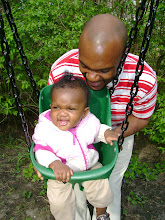
The first week of my ONTL class went by quickly. I was surprised at how much was shared and learned. I enjoyed learning about my fellow classmates through their blogs and hope they too put up more photos since I like peeking into the lives of others :). Oh, I put up a couple of my own to share just for fun. They are the people who most inspire me

Now week two begins. Though I think of myself as digitally savvy, I'm not as well versed on teaching theories. Constructivism was a new word for me, though an old classroom friend. I had started using this teaching method last summer in my MCOM 660 corporate production class. I realized that the constant lecturing and "sage on the stage" approach was not as effective as sending students out to prove or disprove their project ideas through their own experiences, observing world around them and exploring new technology examples. Their discoveries taught me so much.

Now, I want to make sure I reach my student , both F2F and distance ed, in ways that are productive for them. I'm searching for more knowledge about various learning theories and the research of adult learning pioneer, Malcolm Knowles, was very informative. It helped me understand the differences between adult learners and younger students like my 18 year old daughter. One thing Dr. Knowles pointed out was how, "Adult learners have accumulated a foundation of life experiences and knowledge that becomes an increasing resource for learning." Constructivism! I get it! This teaching theory can help all students take charge of their learning, and that's a good thing.I look forward to the information contained in week 2.


Thursday, September 4, 2008

Opening Day at the Digital Convention

By training, I'm a hard core television producer. I love the details, the why questions. The learning just to know. So the invention of the internet was the ultimate fix for information junkies like me. I have been addicted to this amazing "broadcast" medium ever since discovering there were thousands of sites on Victorian history and I could shop in London from my living room sofa. Ahh, pure pleasure! But this new technology that brought the world through my front door, begged for a producers intellectual exploration. So I began to ask myself, how do I best utilize this new technology? How do I incorporate the web into my production work and class room teaching? Besides simply enjoying the gathering of information, how do I master its delivery? The first thing was a title change. I became a multi-media producer.

The discovery that my beloved audio and video could live almost anywhere eventually lead me to the door of online teaching. At first I thought online teaching and learning was just the constant reading of screen text. For a highly visual person like myself, this was off putting. I needed sound and motion, video, audio, pictures, links to museums, interactivity, and on and on and on. Patience, I was told, help was on the way in the form of Web 2.0. Enter social networks, blogging, Utube and streaming video technology. Hey, count me in!

For my MCOM 660 class I have incorporated an asynchronous discussion board, a podcast and an orientation lecturette. In webct I have also used Utube and corporate video links as samples for class analysis. Now, with the training I will receive from my OLT courses, I hope to learn even more about how to better incorporate the 2.0 and other emerging technoloogies into my classroom teaching and course designs.

I love the idea of interaction with and between students and experts from around the world. I want to learn how to better capture these "magic moments" to archive for future use so I won't have to re-invent the wheel. The various design possibilities have my producer senses tingling.
During the upcoming weeks, I look forward to exploring online design ideas and new technology applications with Jan and my fellow classmates.